Play a wide range of audio and video files on the desktop PCs. It supports Internet radio, playlists, 32-bit audio processing, album art display, and skins for the main UI. The player's functionality can be customized through 3rd party plug-ins.
Listening to your favorite music on your laptop or PC is more and more becoming part of our daily routine. In order to have all the music we download and transfer to our PC from different media nicely organized, AIMP offers you an easy-to-use music library with advanced tagging capabilities, support for all the most common formats, audio conversion, and other useful utilities, all for free.
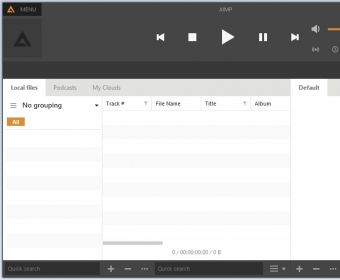
This attractive music organizer opens in a neat and nice-to-look-at interface where you can load your files manually or ask the program to scan your computer and retrieve for you any audio file stored in it. This will allow you to gather your music collection in just one go, and then take your time to remove those files you’re not that interested in, organize the rest, rename your files correctly (when required), and create as many playlists as needed. The program will select any AC3, APE, DTS, FLAC, M4A, MP2, MP3, Ogg, WAV, or WebM file stored on your drives, together with twenty more audio file formats that are a bit less popular. The player itself includes its own volume control, different playback options (random, loop, etc.) and a useful waveform graph of the track in question. more
Its extensive tag support is one of the program’s strengths. It can display any ID3 tag, both v1 and v2, and will let you fill in some of the blanks using the data stored in their filenames, if you wish. You have specific fields for the lyrics and the cover and for your own comments. Regrettably, AIMP cannot connect to the Internet and search for data to help you tag your files automatically.
AIMP comes with a set of extra features that really add value to this already worth using tool. One of these features is its audio converter, which can transform any file on your collection into an APE, FLAC, MP3, Ogg, Opus, or WAV file, among others. It converts any number of files in batches to the format selected, and will rename and relocate the file in the process if so required. Another interesting feature is its “Sound Engine”, where you can find a graphical equalizer, a volume normalizer, various audio effects (echo, reverb, voice remover, etc.), and some mixing options (fade in and out, cross mixing, etc.). Other extra utilities worth naming are its CD ripping feature, its support for Internet radio stations, its playlist support (including “smart playlists” based on the content of your library), its CUE sheet support, and many others for you to discover.
AIMP is totally free, and it’s surely a great add-on to any desktop, especially if you enjoy listening to music while sitting at your computer. It is much more than a simple playback tool – AIMP will help you organize your entire music collection, tag it correctly, and mix and listen to your favorite lists according to your preferences.








Comments (73)
Facebook comments